
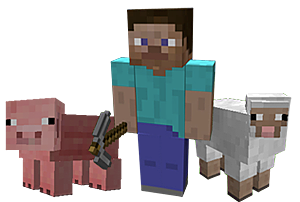
Eaglercraft is an extraordinary, open-source web-based port of Minecraft (specifically Java Edition 1.8.8 and 1.5.2) compiled to WebAssembly and TeaVM JavaScript. It allows anyone with a modern web browser to jump directly into the full Minecraft sandbox experience—complete with survival mechanics, creative building, redstone engineering, mobs, custom skins, sound effects, and real-time multiplayer servers—without downloading any executable files or installing the Java Runtime Environment (JRE). Whether you are using a managed school Chromebook, a Mac, a Linux machine, or a Windows PC, Eaglercraft delivers native 60 FPS gameplay with zero installation barriers.
What is Eaglercraft?
At its foundation, Eaglercraft is a full desktop game decompiled, rewritten, and Ahead-Of-Time (AOT) compiled to execute inside standard browser runtimes. Originally created by open-source developer Lax1dude and expanded by a thriving community of game developers, Eaglercraft bridges the gap between desktop gaming and web accessibility. Unlike cheap JavaScript voxel clones that merely copy blocky aesthetics, Eaglercraft runs actual vanilla Minecraft 1.8.8 bytecode. From combat timings and enchantments to nether portals and terrain generation, every core mechanic matches the authentic Java Edition.
How Eaglercraft Works: TeaVM and WebAssembly Architecture
Traditional Minecraft Java Edition relies on the Java Virtual Machine (JVM) and LWJGL (Lightweight Java Game Library) to communicate with your graphics card via OpenGL. Web browsers cannot run native JVM binaries directly. Eaglercraft solves this complex engineering challenge using TeaVM—an advanced Ahead-of-Time compiler that translates Java bytecode into highly optimized JavaScript and WebAssembly (Wasm). For rendering, Eaglercraft translates desktop OpenGL calls into WebGL 2.0 shaders executed directly by your GPU. Audio is routed through the browser's Web Audio API, while networking replaces raw TCP sockets with encrypted WebSockets (WSS).
Key Features of EaglercraftX 1.8.8
EaglercraftX 1.8.8 represents the modern pinnacle of web-based sandbox gaming. Core features include:
- Full Vanilla Survival & Creative Modes: Harvest resources, craft tools, brew potions, explore caves, and build massive megastructures.
- Smooth 60+ FPS Rendering: Hardware-accelerated WebGL 2.0 engine optimized for budget Chromebooks and integrated graphics.
- WebSocket Multiplayer Support: Connect to dozens of active global public servers featuring BedWars, SkyWars, SMP, and LifeSteal.
- Built-in Sound Engine: Full Minecraft ambient soundtrack, block placement sounds, mob noises, and directional stereo audio.
- Custom Skins Upload: Upload your own 64x64 or 64x32 PNG skin directly in the game profile menu.
- Texture Pack / Resource Pack Support: Load custom resource packs to transform visual textures and UI layouts.
- Pointer Lock Control: Seamless first-person mouse look locking identical to the desktop game.
Differences Between Eaglercraft 1.8.8 and Classic 1.5.2
Eaglercraft is available in two primary versions, each catering to different preferences and hardware specifications. EaglercraftX 1.8.8 is the definitive choice for modern multiplayer, competitive PvP (featuring pre-1.9 spam-click combat mechanics beloved by the competitive community), sprint-jumping, ocean monuments, and rich server ecosystems. Eaglercraft 1.5.2 is a lightweight retro release with smaller asset footprints, nostalgic older terrain generation, and instantaneous loading times on extremely low-spec hardware.
How to Play Eaglercraft Online in Your Browser (No Download Required)
Playing Eaglercraft on eaglercraft.com.in takes less than ten seconds. Follow these quick steps:
- Step 1: Navigate to the Play Online section on eaglercraft.com.in or click 'Launch Game'.
- Step 2: Select your preferred version (Eaglercraft 1.8.8 is recommended).
- Step 3: Click the big 'CLICK TO PLAY NOW' button to initialize the WebGL canvas.
- Step 4: When the title screen appears, click 'Singleplayer' to create a new world, or 'Multiplayer' to join a server.
- Step 5: Click inside the game window to lock your mouse cursor and start exploring!
How to Play Eaglercraft on School Chromebooks (Unblocked Guide)
School Chromebooks are typically locked down by administrative policies like Securly, GoGuardian, Lightspeed Systems, or Cisco Umbrella, which block executable files (.exe, .jar) and gaming domains. Because eaglercraft.com.in runs 100% within pure HTML5/JavaScript without requiring Chrome OS developer mode or file downloads, it bypasses executable blocks effortlessly. For restrictive firewall filters, you can also download the single-file offline HTML client onto a USB drive or your Google Drive and open it locally via file:/// in your browser even when internet filters are active.
Keyboard and Mouse Controls Cheat Sheet
Eaglercraft uses identical keybindings to the original Java Edition. Master these essential controls:
- W / A / S / D: Forward, Strafe Left, Backward, Strafe Right.
- Spacebar: Jump, swim up in water, or fly upward in Creative mode.
- Left Shift: Sneak / crouch (prevents falling off block edges) or descend in Creative mode.
- Double Tap W or Left Ctrl: Sprint (increases movement speed and knockback).
- Left Mouse Click: Attack entities or mine / break targeted blocks.
- Right Mouse Click: Place blocks, interact with doors/chests/furnaces, or consume food.
- E: Open character inventory, crafting grid, and armor slots.
- Q: Drop the currently held item onto the ground.
- 1 to 9: Instant slot selection on the hotbar.
- T or Slash (/): Open in-game chat prompt or enter command syntax.
- F11: Toggle full-screen gaming arena.
- Escape (Esc): Pause singleplayer game, open settings, or release mouse pointer lock.
Understanding Eaglercraft Multiplayer: WebSockets Explained
In desktop Minecraft, clients communicate with servers using raw TCP network sockets over port 25565. However, standard browser security sandboxes strictly forbid arbitrary raw TCP socket connections. Eaglercraft solves this by transmitting game packets over secure WebSockets (WSS:// over port 443). When you enter an address like wss://cmc.tf, your browser initiates an encrypted WebSocket handshake that tunneling Minecraft protocol packets to a dedicated BungeeCord or Eaglercraft-compatible proxy gateway.
Top Eaglercraft Server Gamemodes: BedWars, SkyWars, and LifeSteal
The multiplayer server scene in Eaglercraft is vibrant and fiercely competitive. Popular gamemodes include BedWars (protect your team bed on floating islands while harvesting iron and diamonds to eliminate opponents), SkyWars (fast-paced battle royale on micro sky islands), LifeSteal SMP (survival multiplayer where killing enemies permanently steals their heart containers), and Vanilla Clan Survival (build massive protected empires, establish economies, and raid rival factions).
How to Upload and Use Custom Minecraft Skins in Eaglercraft
Personalizing your avatar in Eaglercraft is straightforward. From the in-game main menu, click on the skin hanger icon next to your player name or navigate to Options > Edit Profile. Click 'Browse' to upload any standard 64x64 or 64x32 pixel PNG skin file downloaded from popular skin databases like NameMC or Skindex. Eaglercraft automatically renders your custom skin across both singleplayer worlds and supported multiplayer servers.
How to Install Custom Texture Packs and Resource Packs
Want high-definition blocks, faithful 32x textures, or PvP short-swords? Eaglercraft supports custom resource packs. Simply download a compatible Minecraft 1.8.8 texture pack ZIP file. In Eaglercraft, open Options > Resource Packs > Open Resource Pack Folder. Drag and drop your .zip file into the browser prompt, select it, and click Done. The WebGL rendering pipeline will recompile texture atlases instantly.
Singleplayer Worlds: How Browser IndexedDB Storage Works
When you create a world in Eaglercraft singleplayer, the chunks, player inventory, entity positions, and world seed are stored locally inside your browser's persistent IndexedDB database. Your worlds remain safely saved between browsing sessions. However, clearing your browser cache or browsing history could wipe IndexedDB storage. Therefore, we strongly recommend regularly exporting backups of your prized survival worlds using the 'Backup World' button in the world selection menu.
Downloading Eaglercraft for 100% Offline Play (Standalone HTML)
If you frequently travel without reliable internet access or attend schools with strict Wi-Fi firewalls, you can download the complete standalone Eaglercraft client as a single self-contained HTML file (approx. 18 MB). Once saved to your hard drive, simply double-click the file to open it in Google Chrome, Microsoft Edge, Brave, or Safari. The game boots instantly from local disk storage without requiring an internet connection.
System Requirements and Browser Compatibility
Eaglercraft is exceptionally lightweight and engineered to run on almost any computer manufactured in the last ten years. Minimum requirements:
- Operating System: Windows 11/10/8, macOS, Chrome OS, Linux, Android, iOS.
- Browser: Google Chrome 90+, Microsoft Edge, Mozilla Firefox, Opera, Brave, or Safari 15+.
- Processor: Intel Celeron / Core 2 Duo or equivalent 1.6 GHz dual-core CPU.
- Memory (RAM): At least 2 GB of system RAM (4 GB recommended).
- Graphics: Any GPU or integrated chipset supporting WebGL 2.0 (Intel HD Graphics, AMD, NVIDIA, Apple Silicon).
- Storage: 50 MB of disk space for game assets and world saves.
Performance Optimization Tips: Fixing Lag and Boosting FPS
If you experience frame rate drops on low-powered laptops or budget Chromebooks, apply these proven optimizations:
- Reduce Render Distance: Lower your render distance in Options > Video Settings from 8 chunks down to 4 or 6 chunks.
- Set Graphics to Fast: Switch Graphics from 'Fancy' to 'Fast' to disable transparent leaf rendering.
- Turn Off Smooth Lighting: Disabling smooth lighting significantly reduces GPU shader overhead.
- Enable Hardware Acceleration: Ensure 'Use graphics acceleration when available' is toggled ON in your browser settings (chrome://settings/system).
- Close Background Tabs: Close memory-heavy browser tabs like YouTube, Discord, or Twitch before launching the game.
Troubleshooting: Mouse Look Lock Lost or Stuck Cursor
Browsers use the HTML5 Pointer Lock API to lock the mouse cursor inside the game window so you can look around 360 degrees without the cursor wandering off screen. If your cursor does not lock, ensure you left-click directly inside the game canvas. If pointer lock fails, press Esc, wait two seconds, and left-click the center of the screen again. On Chrome, verify that pointer lock permissions are allowed for the site.
Troubleshooting: Fixing 'WebSocket Connection Closed' Error
If you see 'Connection Closed' or 'Failed to connect' when joining a multiplayer server, the issue is typically caused by one of two factors: either the server address is typed incorrectly (ensure it begins with wss:// rather than http:// or ws://), or your network router / school firewall is blocking WebSocket traffic on port 443. Connecting to a fast VPN or switching to mobile hotspot immediately resolves network-level WebSocket throttling.
Is Eaglercraft Safe and Virus-Free?
Yes. Eaglercraft is 100% safe, open-source, and virus-free. Because the game executes entirely within your browser's sandboxed JavaScript runtime, it cannot access your computer's local files, registry, or camera, nor can it install harmful executables or Trojans. The source code is publicly audited by security researchers and reverse-engineering enthusiasts worldwide.
Frequently Asked Questions (FAQ)
Looking for On-Demand Movies & OTT Series?
While Eaglercraft delivers an awesome browser-based Minecraft sandbox experience on Chromebooks and PCs, many gamers and students enjoy streaming movies and series during their breaks. If you want to stream trending cinema, Bollywood releases, and OTT web series on your Android phone or TV, check out the complete guide for netmirror apk install to stream your favorite titles in Full HD with zero subscription hurdles.
Eaglercraft is an open-source port of Minecraft Java Edition (1.8.8 and 1.5.2) compiled to WebAssembly and JavaScript using TeaVM. It runs in any modern web browser using WebGL 2.0 without requiring Java or local installations.